ClinicFlow
UX/UI
Case Study
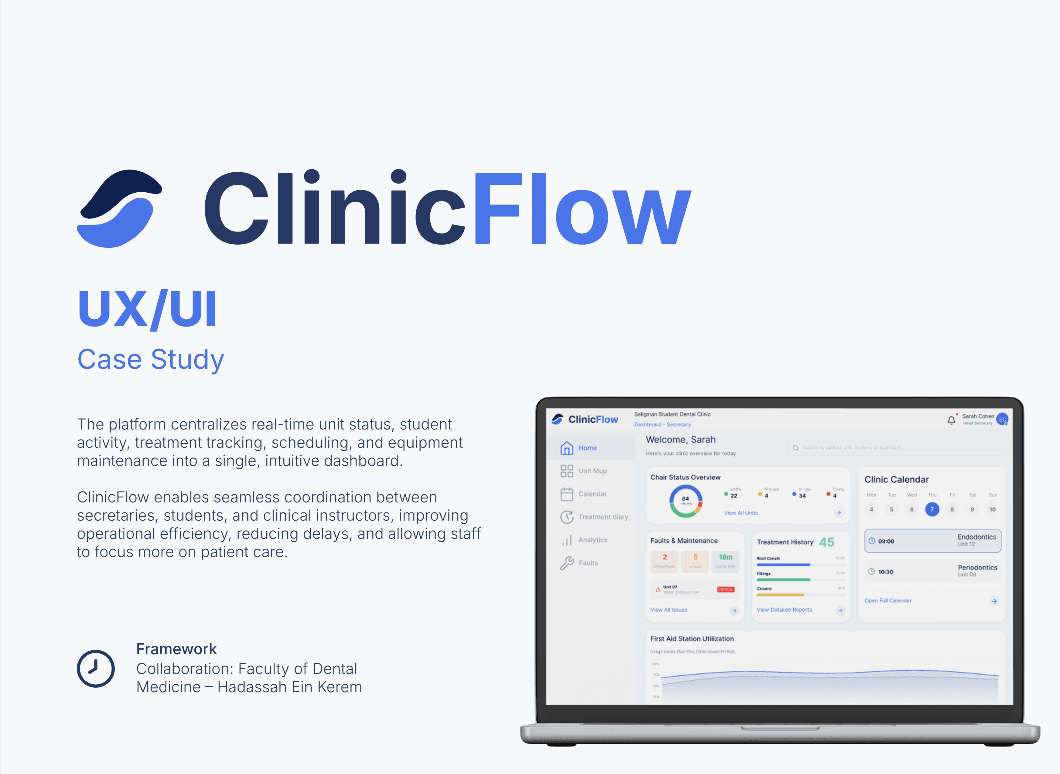
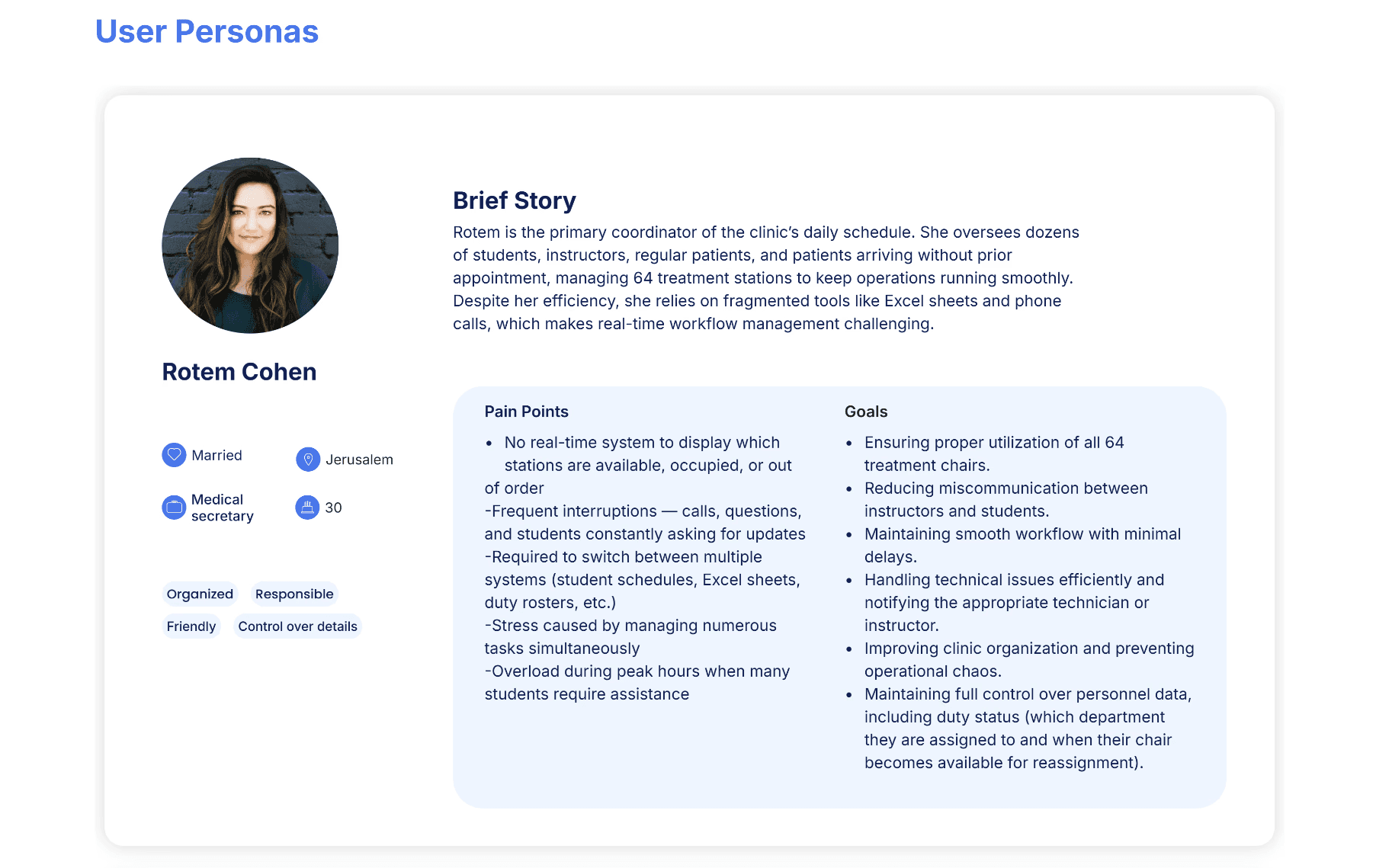
The platform centralizes real-time unit status, student activity, treatment tracking, scheduling, and equipment maintenance into a single, intuitive dashboard.
ClinicFlow enables seamless coordination between secretaries, students, and clinical instructors, improving operational efficiency, reducing delays, and allowing staff to focus more on patient care.
Framework
Collaboration: Faculty of Dental Medicine – Hadassah Ein Kerem
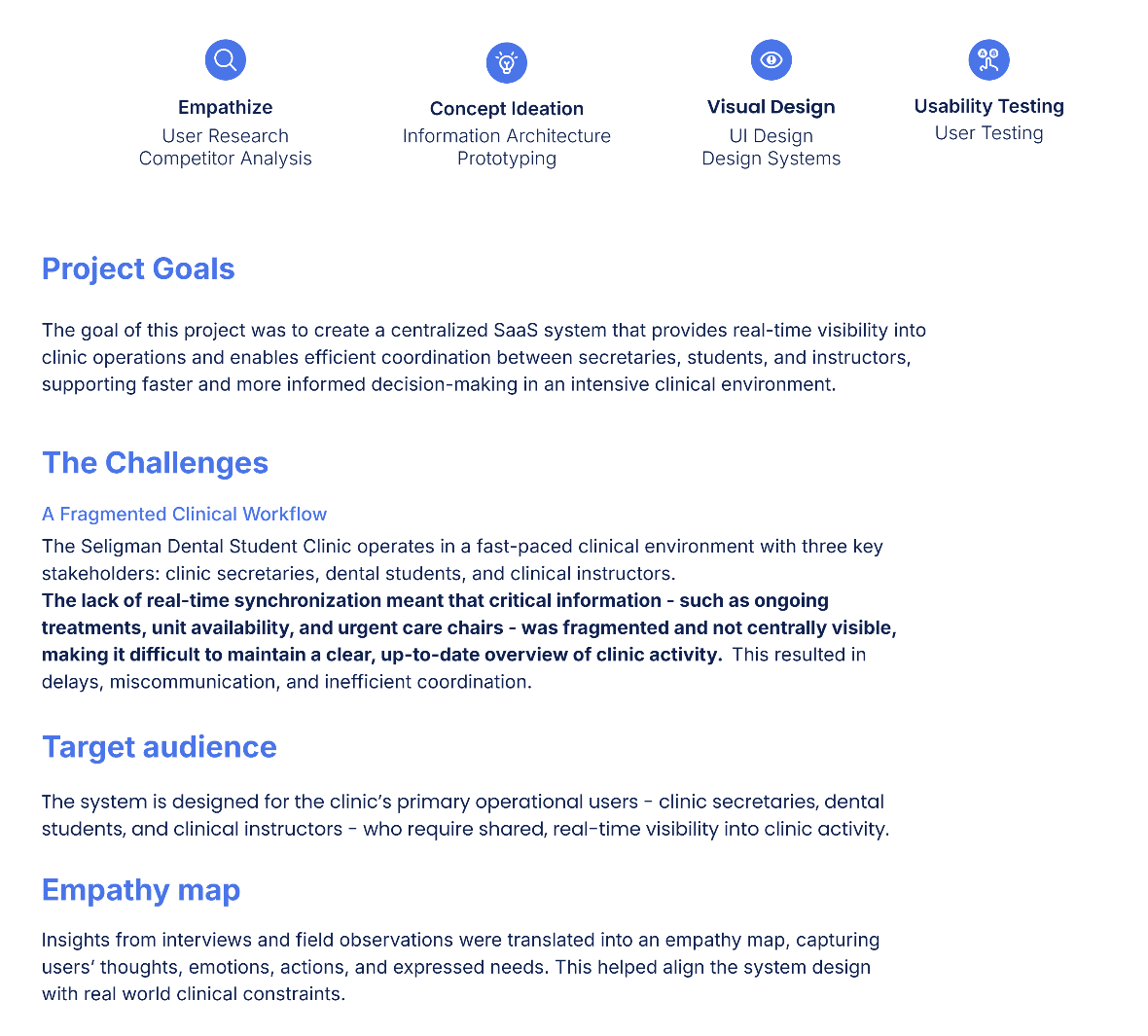
Empathize
User Research
Competitor Analysis
Concept Ideation
Information Architecture
Prototyping
Visual Design
UI Design
Design Systems
Usability Testing
User Testing
Project Goals
The goal of this project was to create a centralized SaaS system that provides real-time visibility into
clinic operations and enables efficient coordination between secretaries, students, and instructors,
supporting faster and more informed decision-making in an intensive clinical environment.
The Challenges
A Fragmented Clinical Workflow
The Seligman Dental Student Clinic operates in a fast-paced clinical environment with three key stakeholders: clinic secretaries, dental students, and clinical instructors.
The lack of real-time synchronization meant that critical information - such as ongoing treatments, unit availability, and urgent care chairs - was fragmented and not centrally visible, making it difficult to maintain a clear, up-to-date overview of clinic activity. This resulted in delays, miscommunication, and inefficient coordination.
Target audience
The system is designed for the clinic’s primary operational users - clinic secretaries, dental students, and clinical instructors - who require shared, real-time visibility into clinic activity.
Empathy map
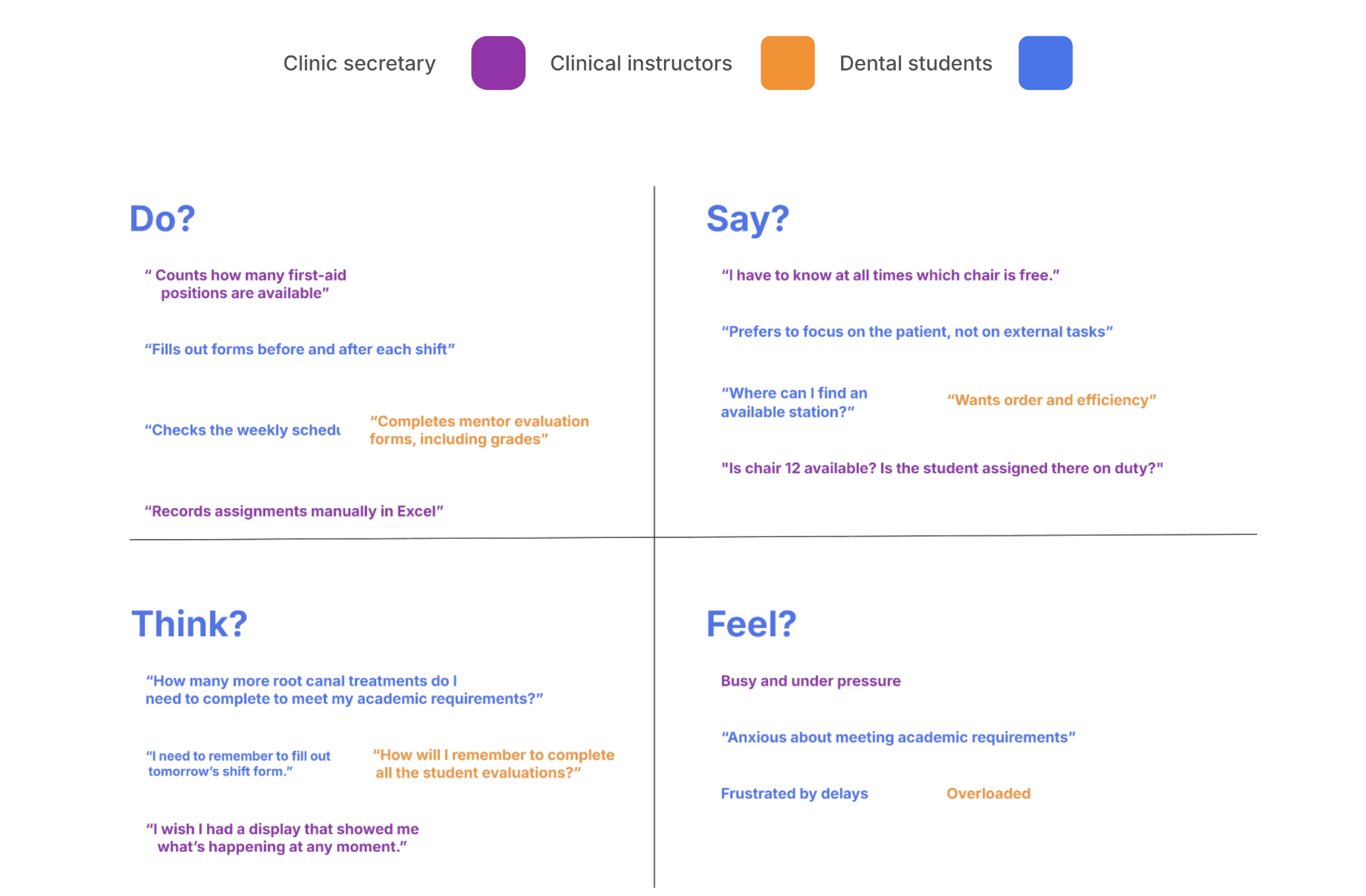
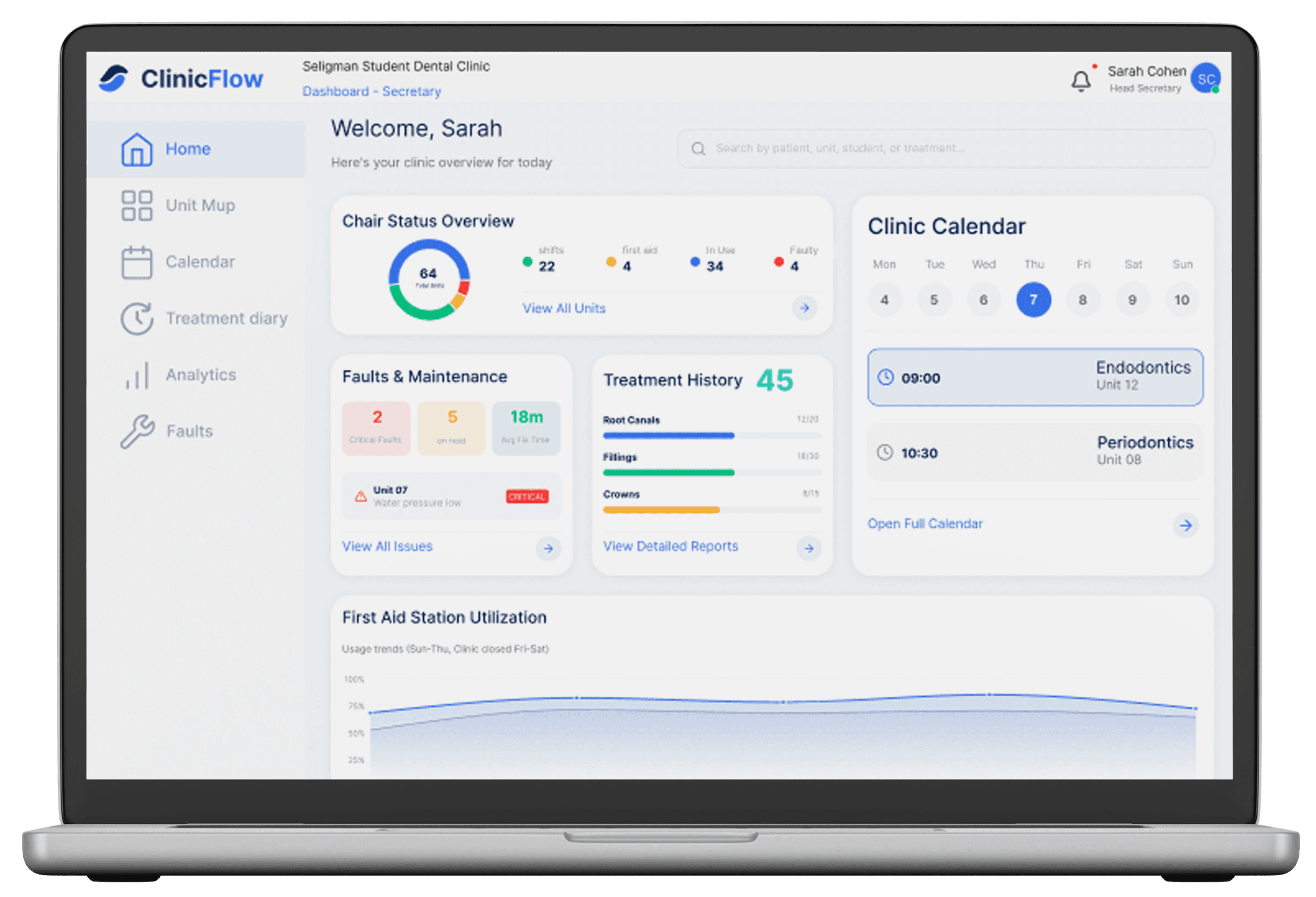
Insights from interviews and field observations were translated into an empathy map, capturing users’ thoughts, emotions, actions, and expressed needs. This helped align the system design with real world clinical constraints.
Clinic secretary
Clinical instructors
Dental students
Market Research
A review of task management systems and dental clinic management platforms revealed that while many solutions support scheduling, documentation, or data analytics, none are designed to address the operational complexity of an academic dental clinic with multiple user roles.
Existing systems fail to support the distinct needs of secretaries, students, and clinical instructors, as well as core requirements such as real-time unit visibility, academic requirement tracking, and synchronized, multi-user workflows.
User Personas
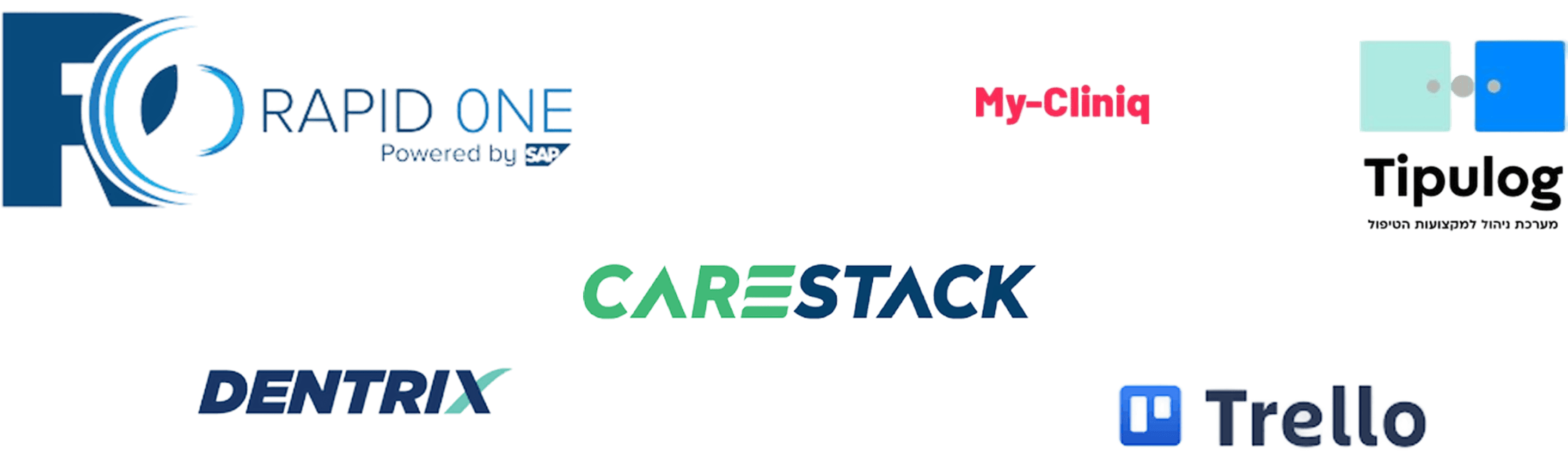
Brief Story
Rotem is the primary coordinator of the clinic’s daily schedule. She oversees dozens of students, instructors, regular patients, and patients arriving without prior appointment, managing 64 treatment stations to keep operations running smoothly. Despite her efficiency, she relies on fragmented tools like Excel sheets and phone calls, which makes real-time workflow management challenging.
Pain Points
No real-time system to display which stations are available, occupied, or out
of order
-Frequent interruptions — calls, questions, and students constantly asking for updates
-Required to switch between multiple systems (student schedules, Excel sheets, duty rosters, etc.)
-Stress caused by managing numerous tasks simultaneously
-Overload during peak hours when many students require assistance
Goals
Ensuring proper utilization of all 64 treatment chairs.
Reducing miscommunication between instructors and students.
Maintaining smooth workflow with minimal delays.
Handling technical issues efficiently and notifying the appropriate technician or instructor.
Improving clinic organization and preventing operational chaos.
Maintaining full control over personnel data, including duty status (which department they are assigned to and when their chair becomes available for reassignment).

Rotem Cohen
Married
Medical
secretary
Jerusalem
30
Organized
Responsible
Friendly
Control over details
Brief Story
Yuval is a fourth-year dental student navigating a demanding clinical routine. Each day he manages his patients’ schedule and works to meet the graduation requirements, yet often loses valuable time searching for available chairs, locating an instructor, or tracking down the necessary forms. These information gaps create delays that disrupt patient care and reduce his clinical productivity.
Pain Points
Track progress on academic requirements (e.g., number of root canals, fillings, extractions)
Find an available treatment station
Reduce wait time for instructors
Ensure a smooth workflow that allows them to focus on the patient
Goals
No real-time system to display which stations are available, occupied, or out of order
Long waiting times for instructor approval.
Uncertainty regarding the status of technical issues
Difficulty monitoring academic quota progress
High multitasking load
Peak-hour overload when many students require approval at the same time

Yuval Segev
Single
Dental
student
Raanana
28
Organized
Stressed
Friendly
Learns quickly
Brief Story
Yoram is a clinical instructor responsible for guiding multiple students across different treatment stations. Throughout the day he moves between chairs, approves procedures, provides instruction, and ensures that each case meets clinical safety standards. In addition, he evaluates students’ clinical work and monitors their progress toward meeting academic requirements.
Pain Points
Provide effective and timely instruction to students
Maintain high clinical standards and ensure patient safety
Prioritize requests based on urgency and complexity
Ensure students meet their academic and clinical requirements
Improve overall clinic workflow and efficiency
Goals
No way to track which students are currently waiting for approval
Difficulty prioritizing cases when several students approach at the same time
Overload during peak hours when many students require assistance
Challenges in monitoring students’ progress and completed requirements throughout the day
Inefficient workflow leading to delays and reduced instructional quality

Dr. Yoram Zvi
Married
Specialist
dentist
Jerusalem
68
Organized
Stressed
Friendly
Learns quickly
User Journey
Due to the system’s operational nature and real-time usage, the design process focused on task-based user journeys rather than purely emotional journey mapping.
Clinic secretary
Dental
students
Clinical instructors
Key Insights
Real - time visibility is essential for confident and efficient decision-making across all roles.
Urgent cases and unexpected incidents increase cognitive load, creating a strong need for clear, accessible, and immediately available information.
Academic tracking must be seamlessly integrated into daily workflows.
A single, shared system replaces fragmented communication, reducing reliance on verbal
updates and manual coordination.
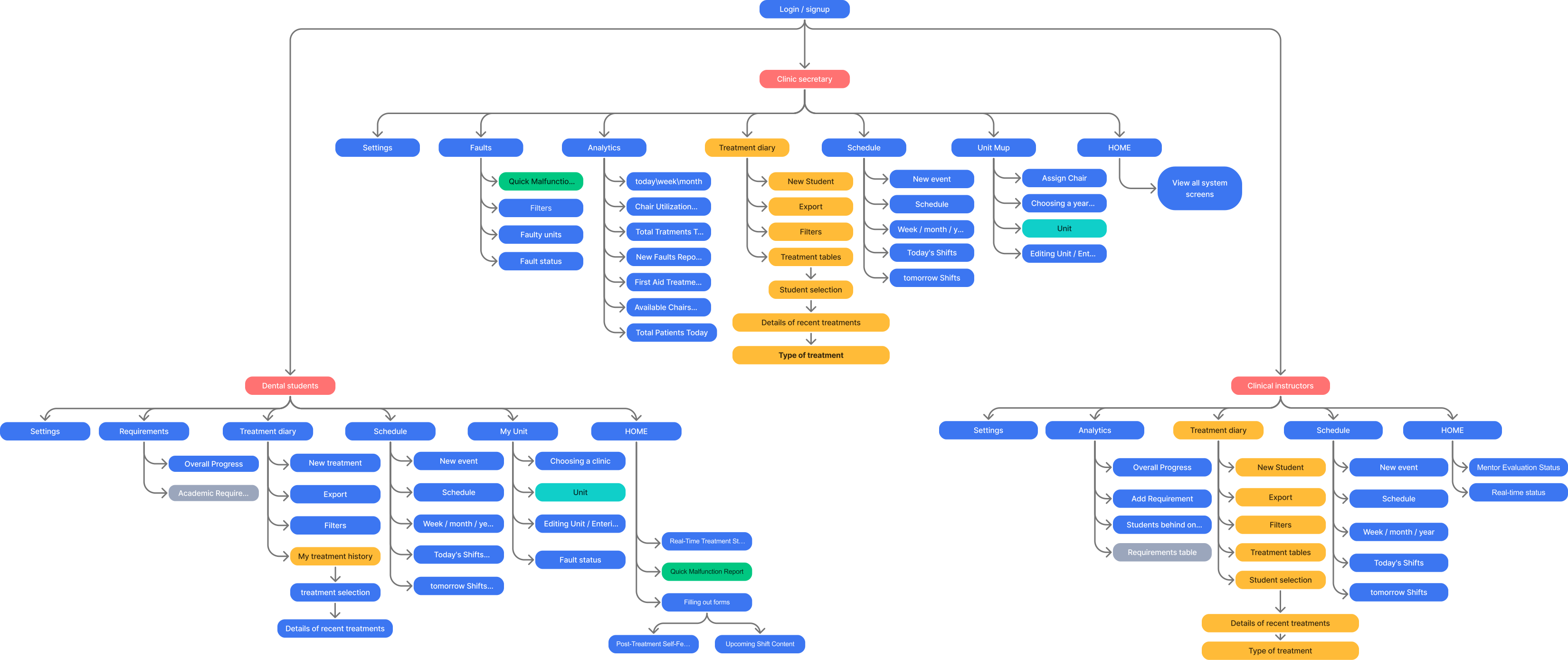
Information Architecture
synchronized
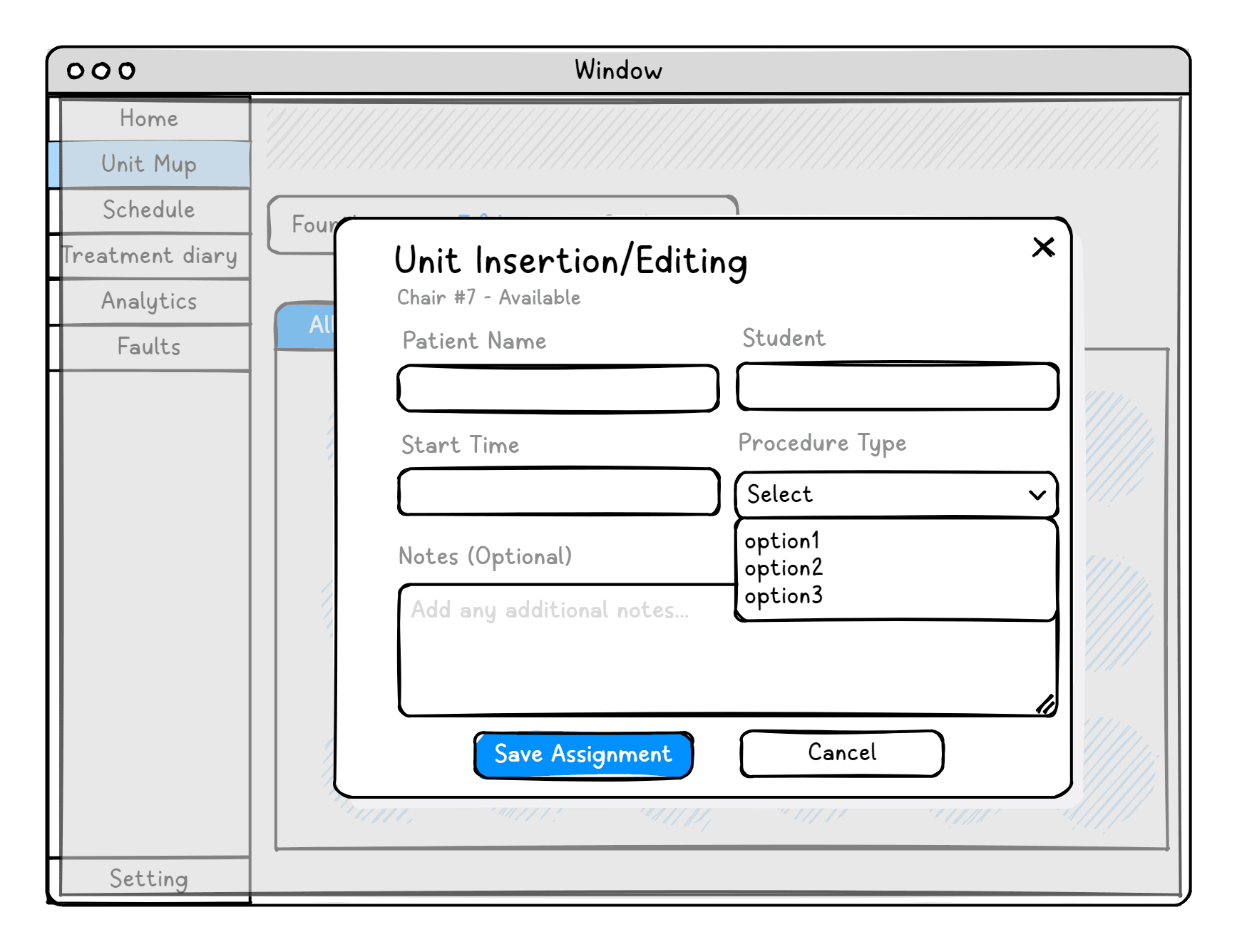
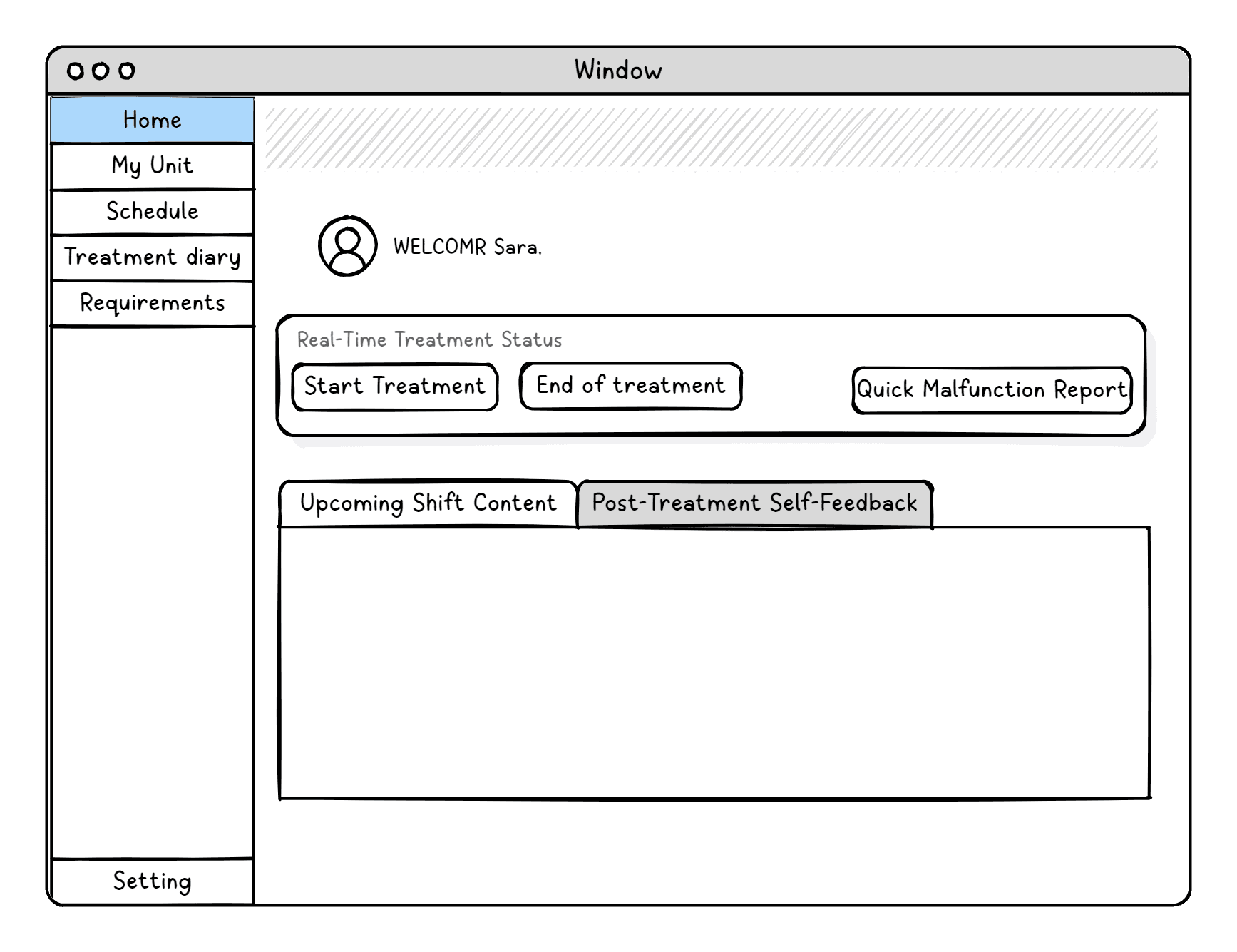
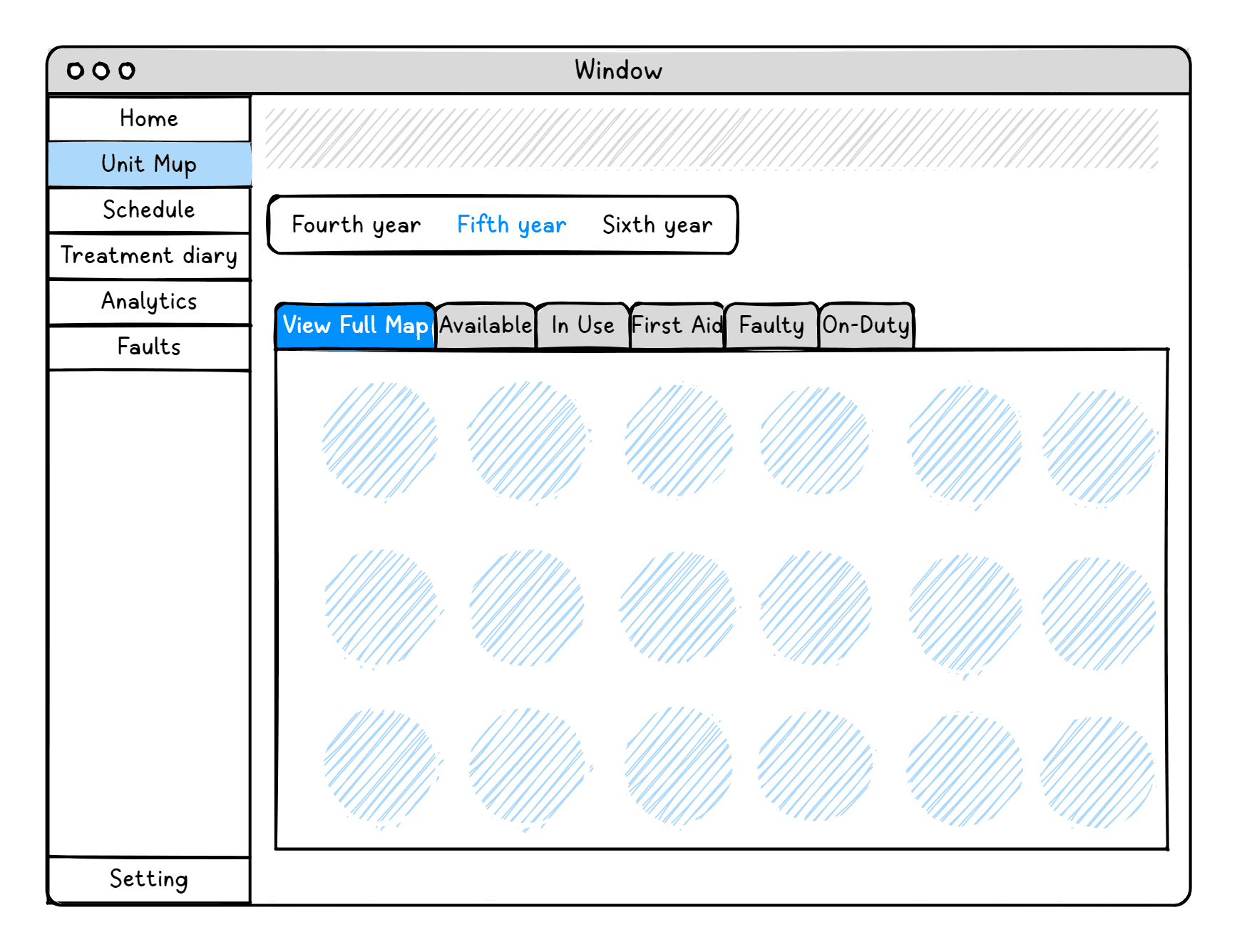
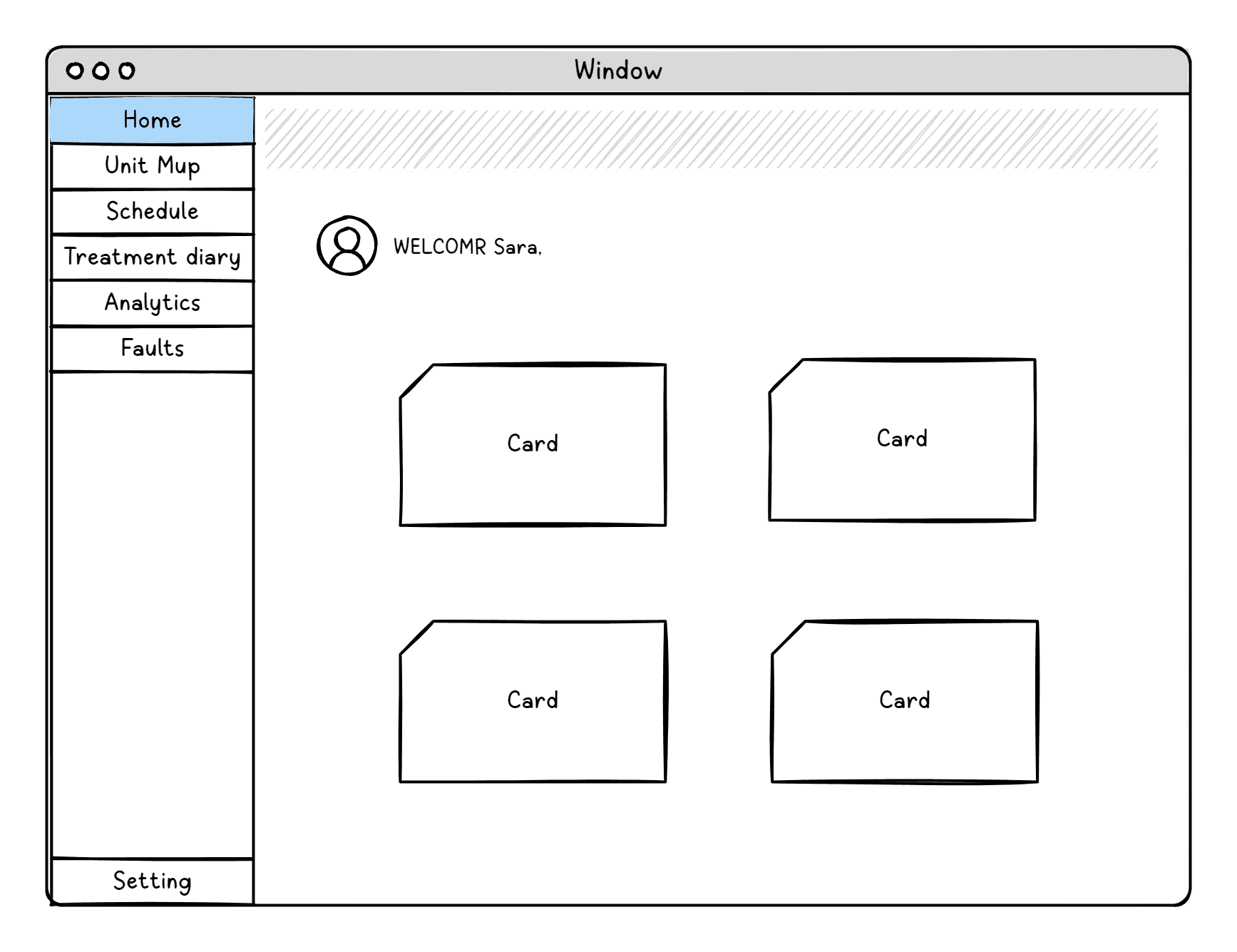
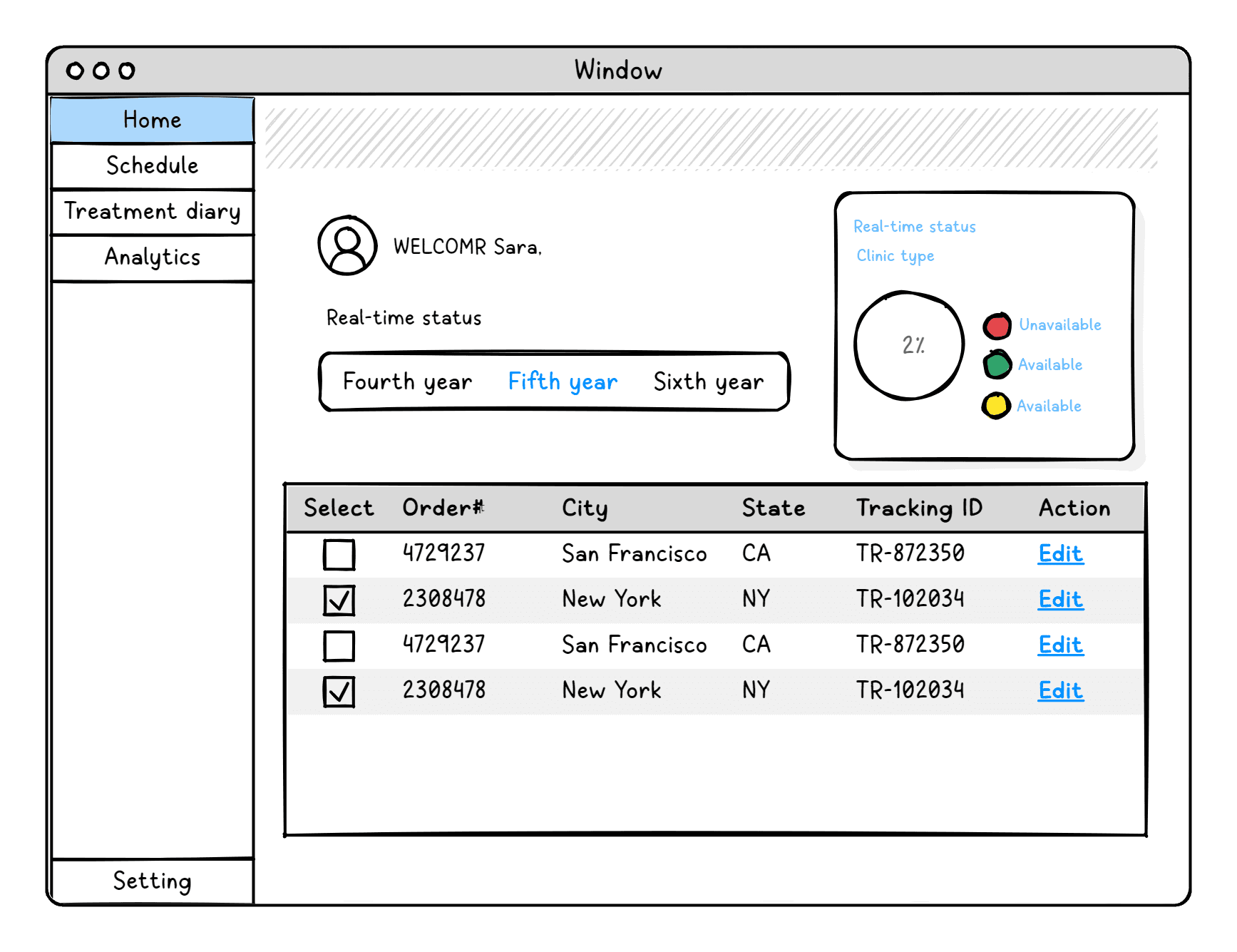
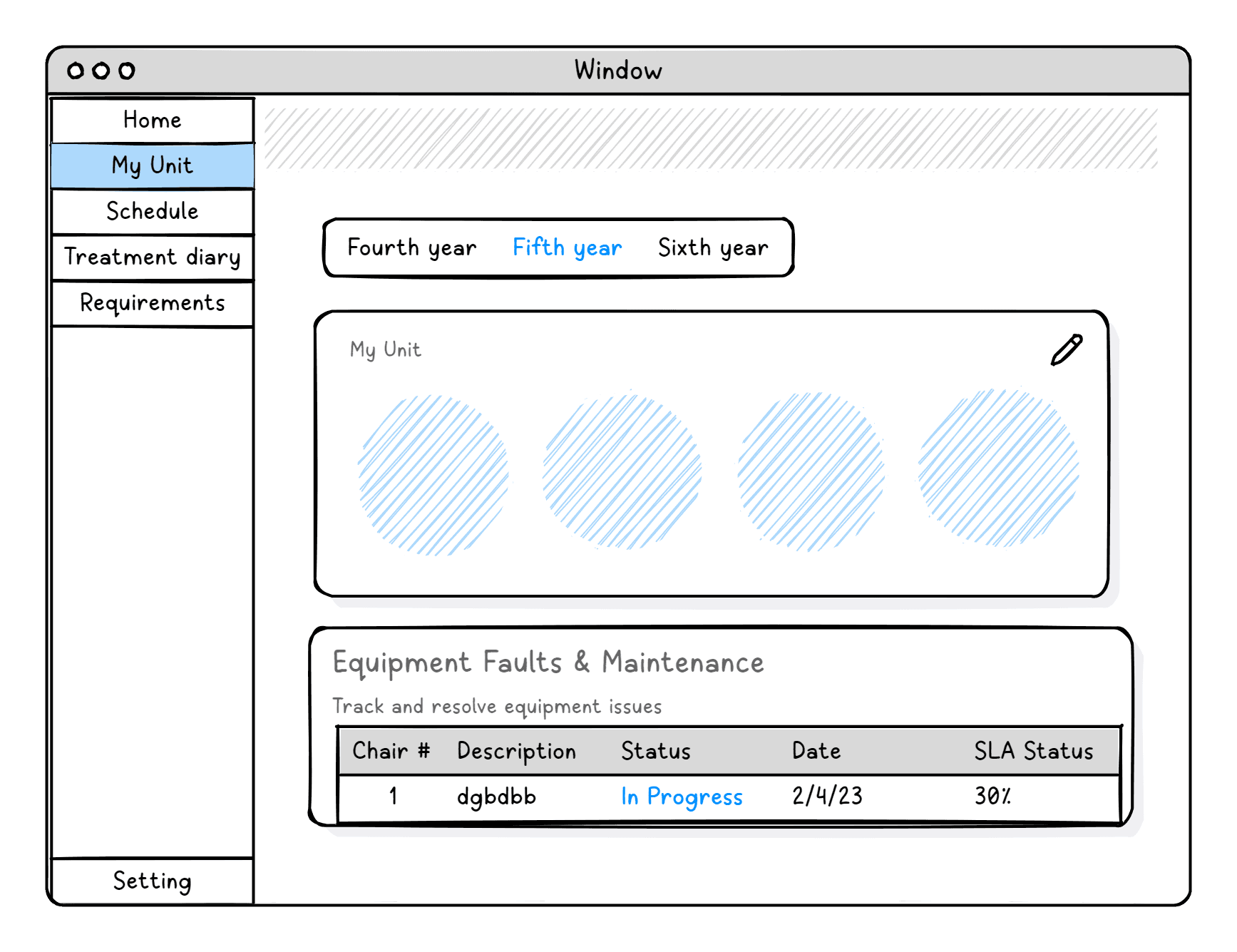
WireFrame
Proposed Solution
The proposed solution is a centralized, real time SaaS platform designed to synchronize clinic activity across all key roles clinic secretaries, dental students, and clinical instructors. By providing a shared operational view and structured workflows, the system supports smooth, continuous clinic operations and enables informed, time-sensitive decision making.
How does ClinicFlow work?
ClinicFlow is designed as a role-based SaaS system, where each user accesses shared data through a customized interface tailored to their role.
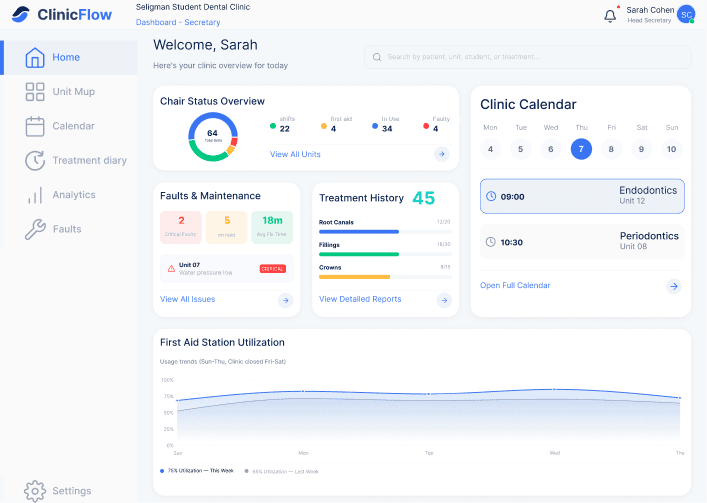
Secretary Home
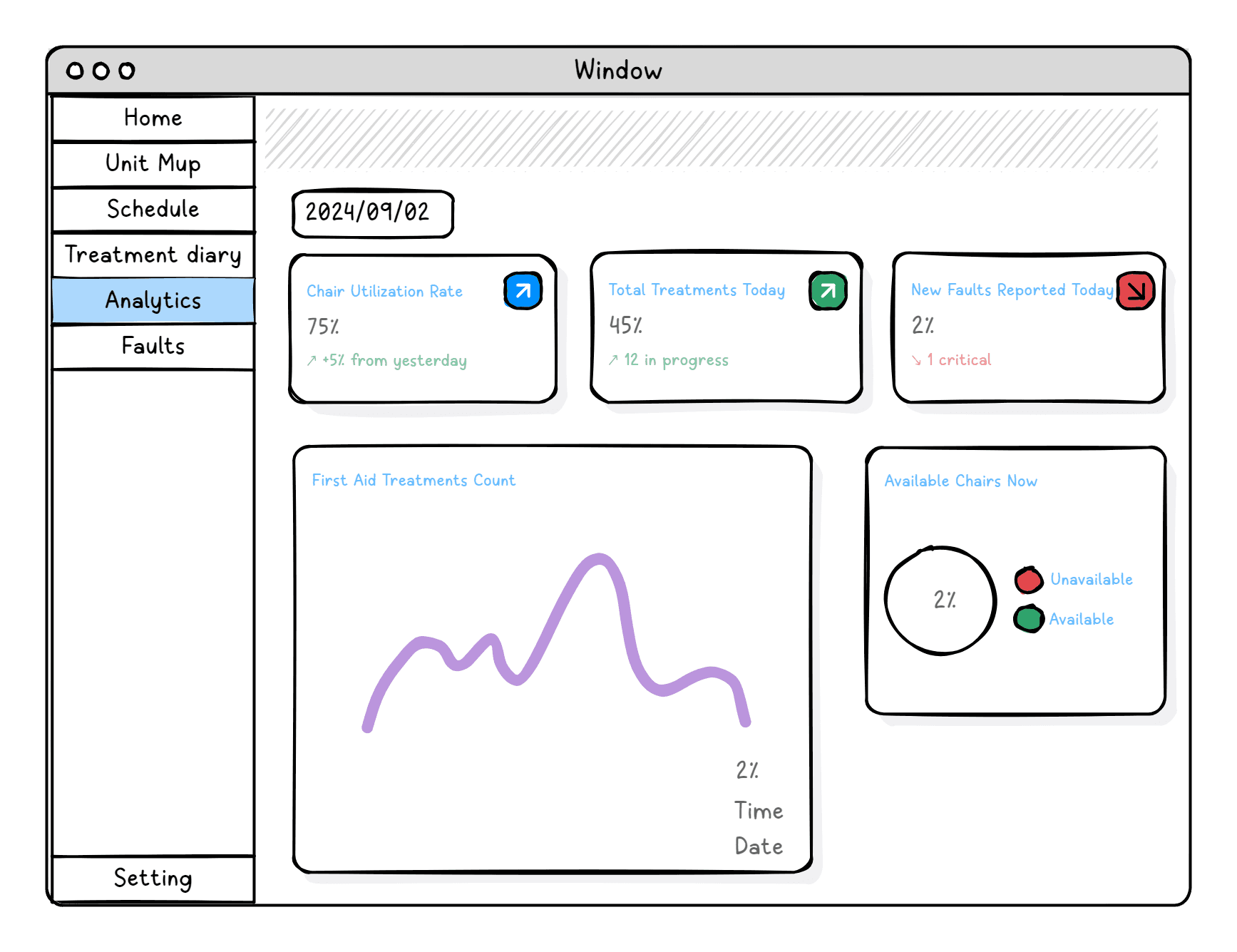
Provides a real-time overview of clinic
availability and activity
Calendar , fault management,
and Clinical Treatment History.
Supports quick decision making and
efficient patient assignment
Enables operational control across
the clinic
Student Home
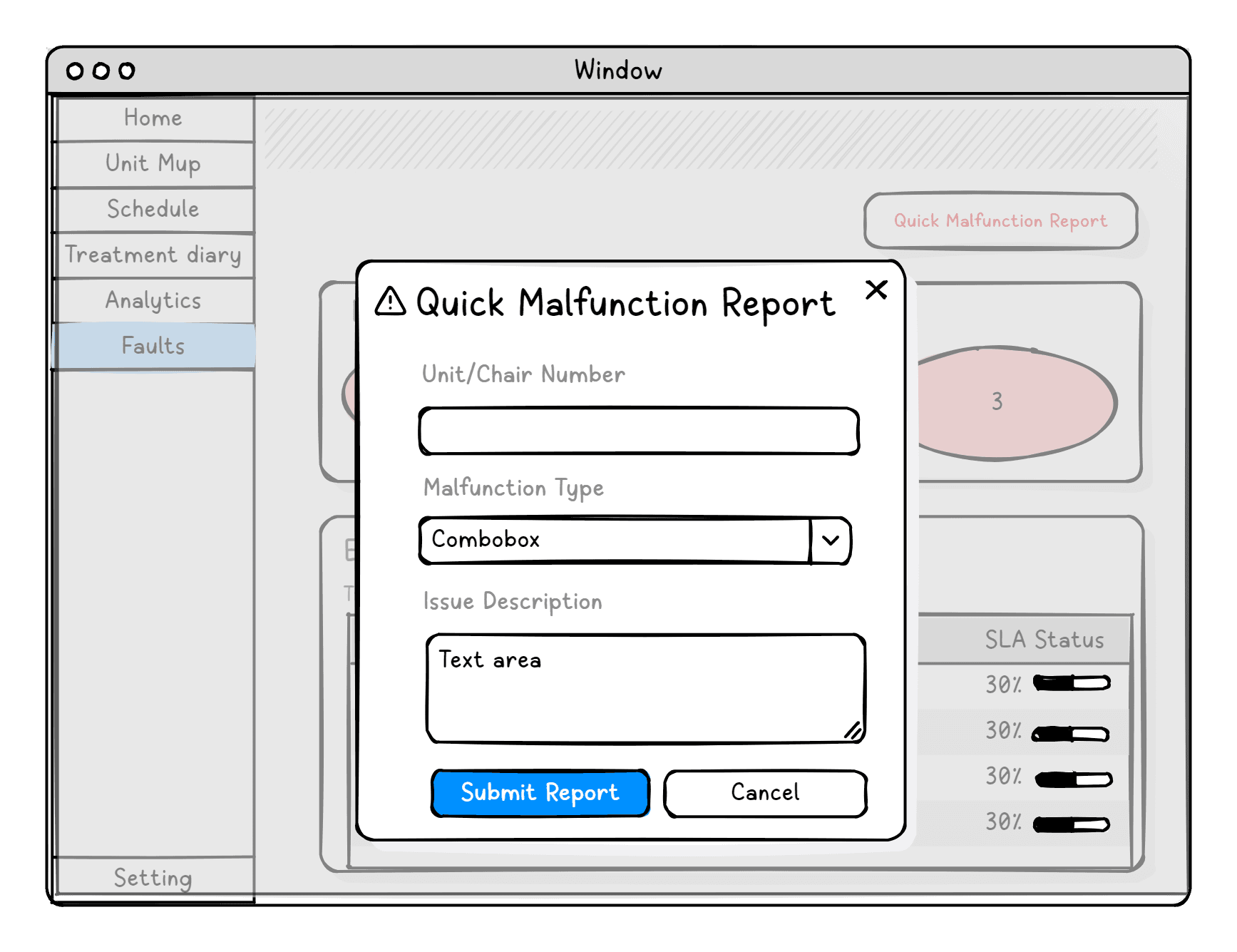
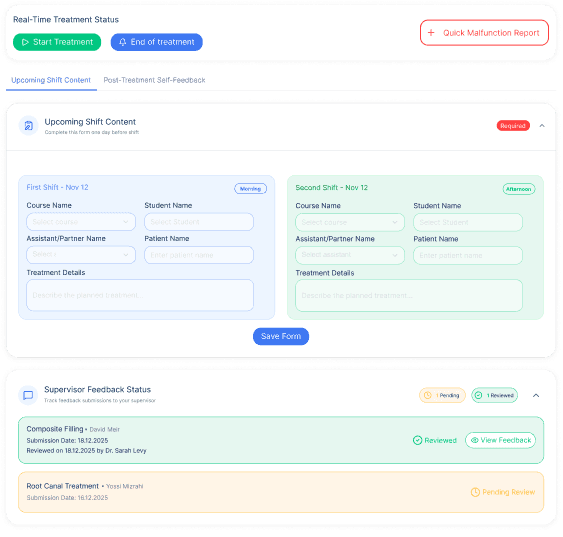
The student Home centralizes all key actions required during a shift, allowing students to update treatment start and end times, complete daily forms, report Unit malfunctions, and track the status of supervisor feedback.
Instructor Home
Provides a real-time overview by academic year and clinical area, with summarized Unit status, and displays a list of instructor assessment response requests.
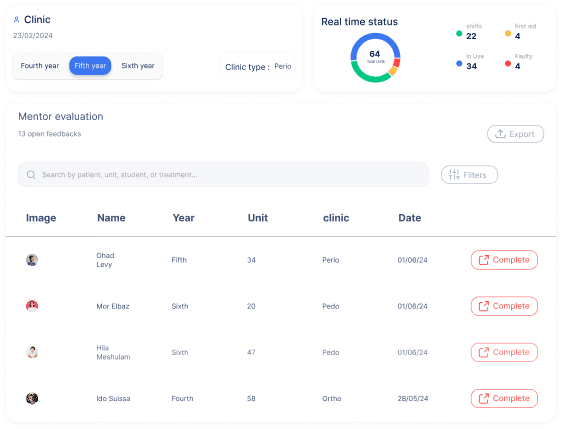
Drag & Drop Units Reassignment
Enables quick and intuitive reassignment between units through simple drag drop interaction, supporting fast operational adjustments.
Clinic Units Overview
A real time units status screen that provides the secretary with full visibility into unit availability, enabling continuous operational control and rapid response to changes and emergency situations.
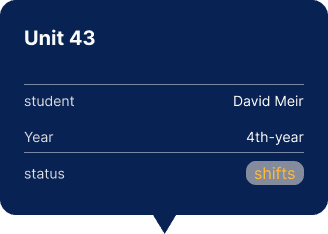
On hover, a Tooltip provides quick
contextua l information about each unit,
including assigned student and current status.
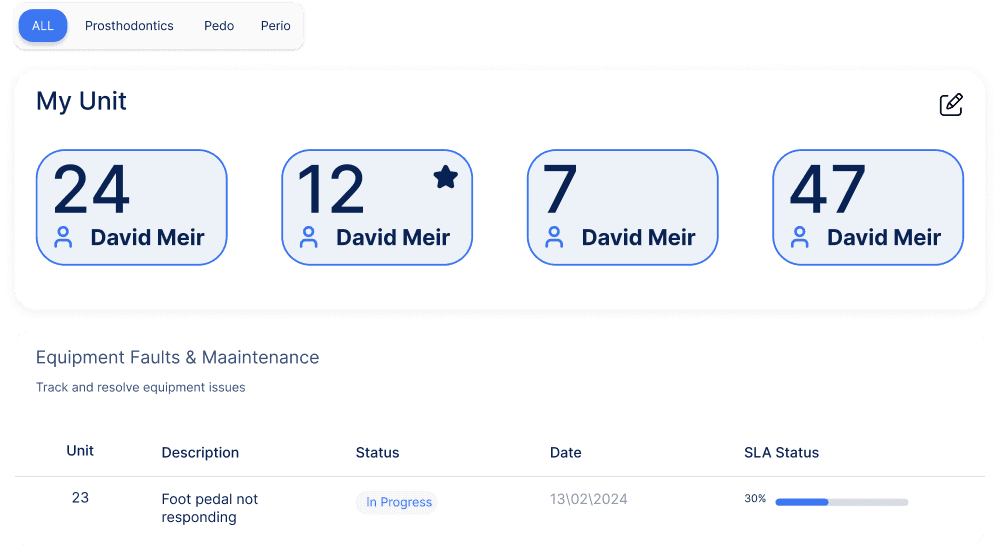
My Unit - Student View
A dedicated student page for monitoring assigned units throughout the academic year, including identification of units with specialized equipment and tracking of open equipment faults and their current status.
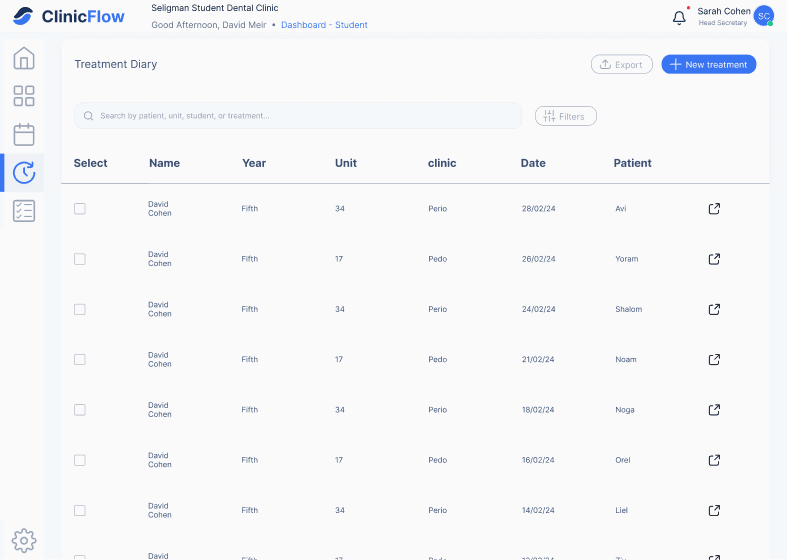
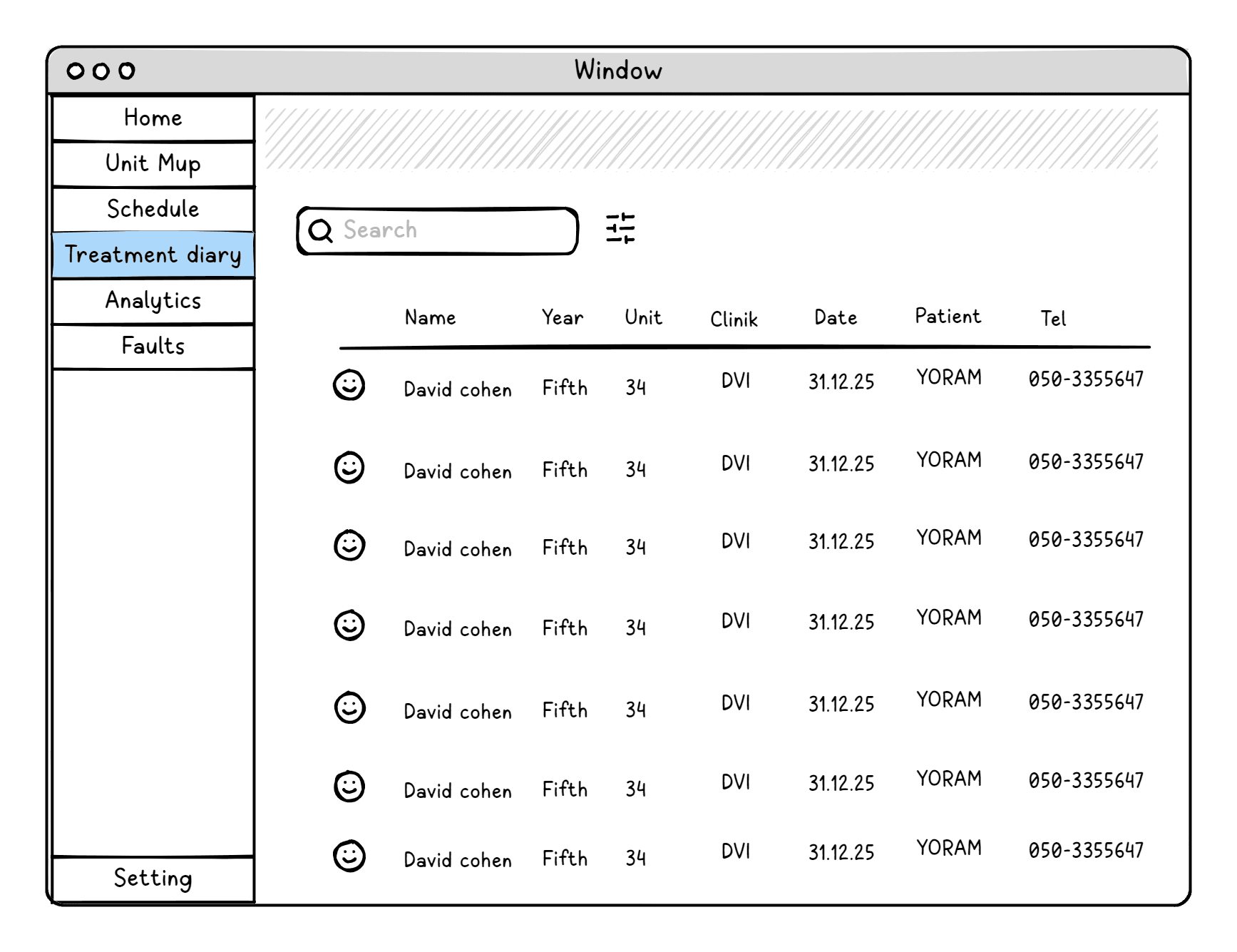
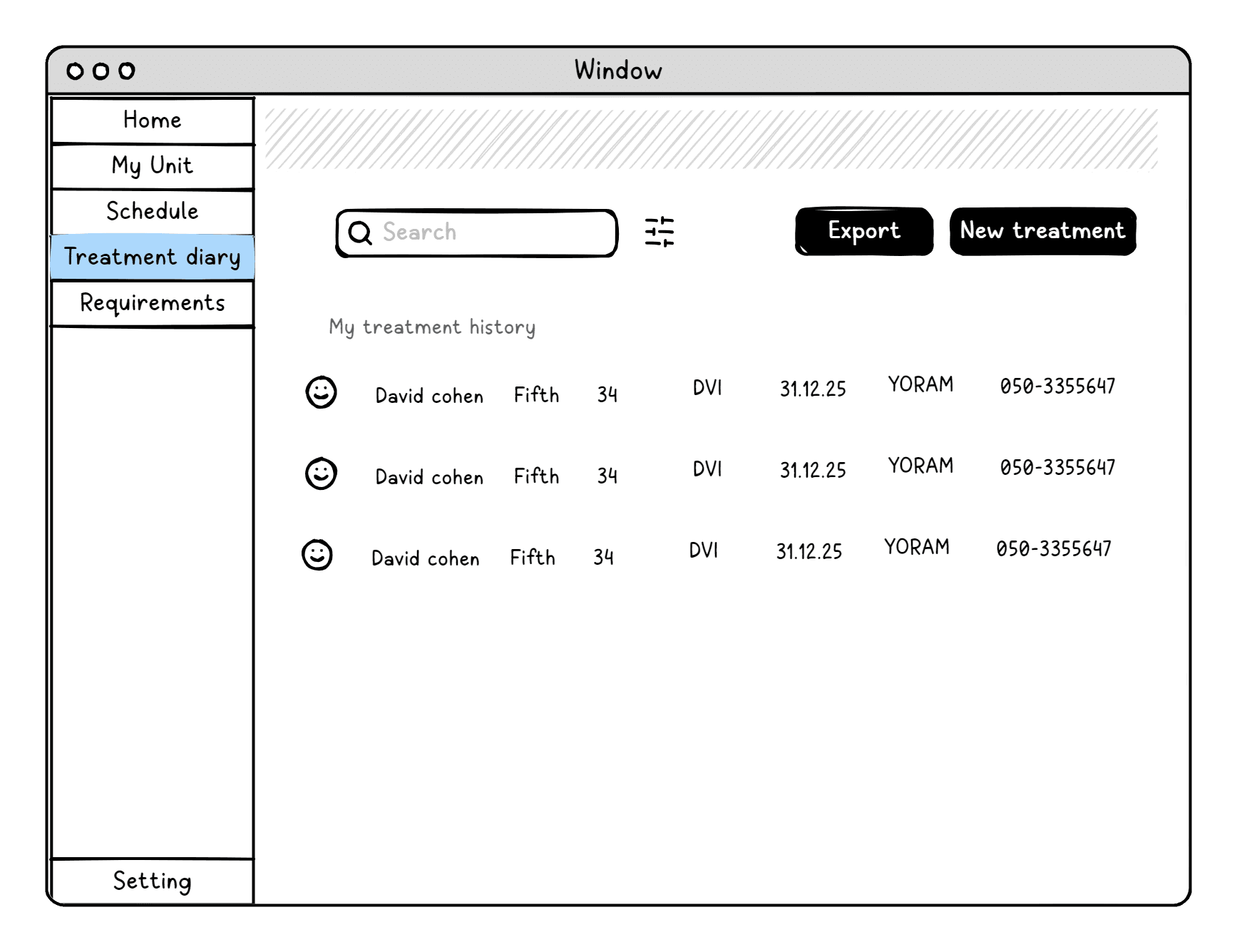
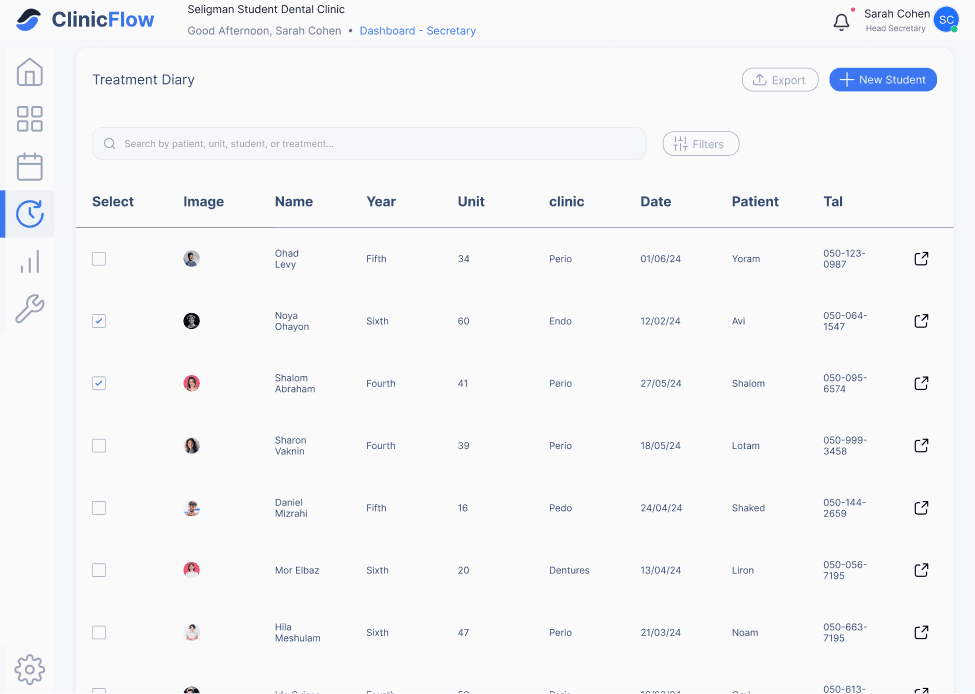
Treatment History
This screen provides a summary of all treatments performed by the student.
Filters
You can filter the data by date,
clinic type, or patient name.
Synchronization between users
Treatment history access is role based: students have limited access to their own treatment records, while instructors and secretaries can view treatment histories for all student
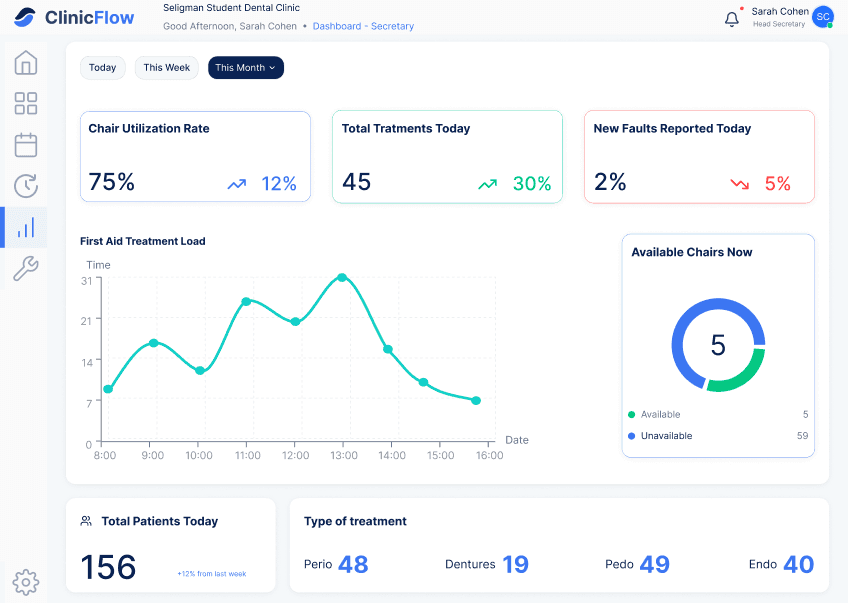
Seeing the Clinic as a System
An overall view of clinic operations enables more efficient, informed, and professional management.
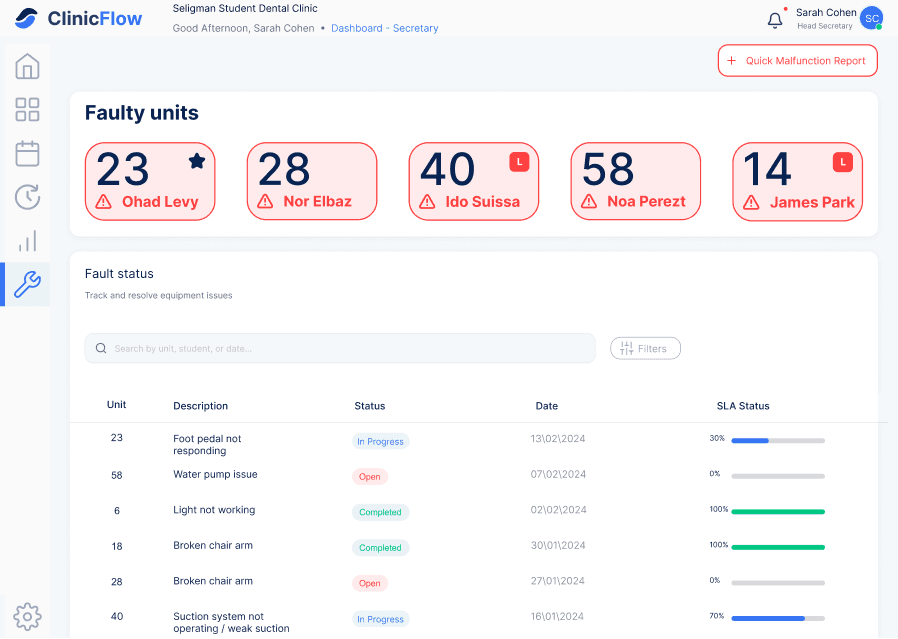
From Fault to Function
To ensure effective clinic management, it is essential to monitor and manage the status of faulty units in order to restore them to full functionality as quickly as possible.
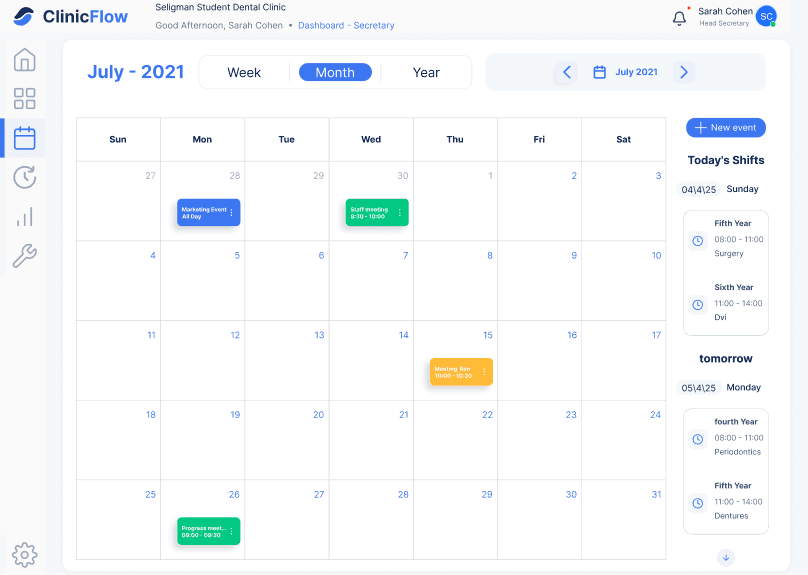
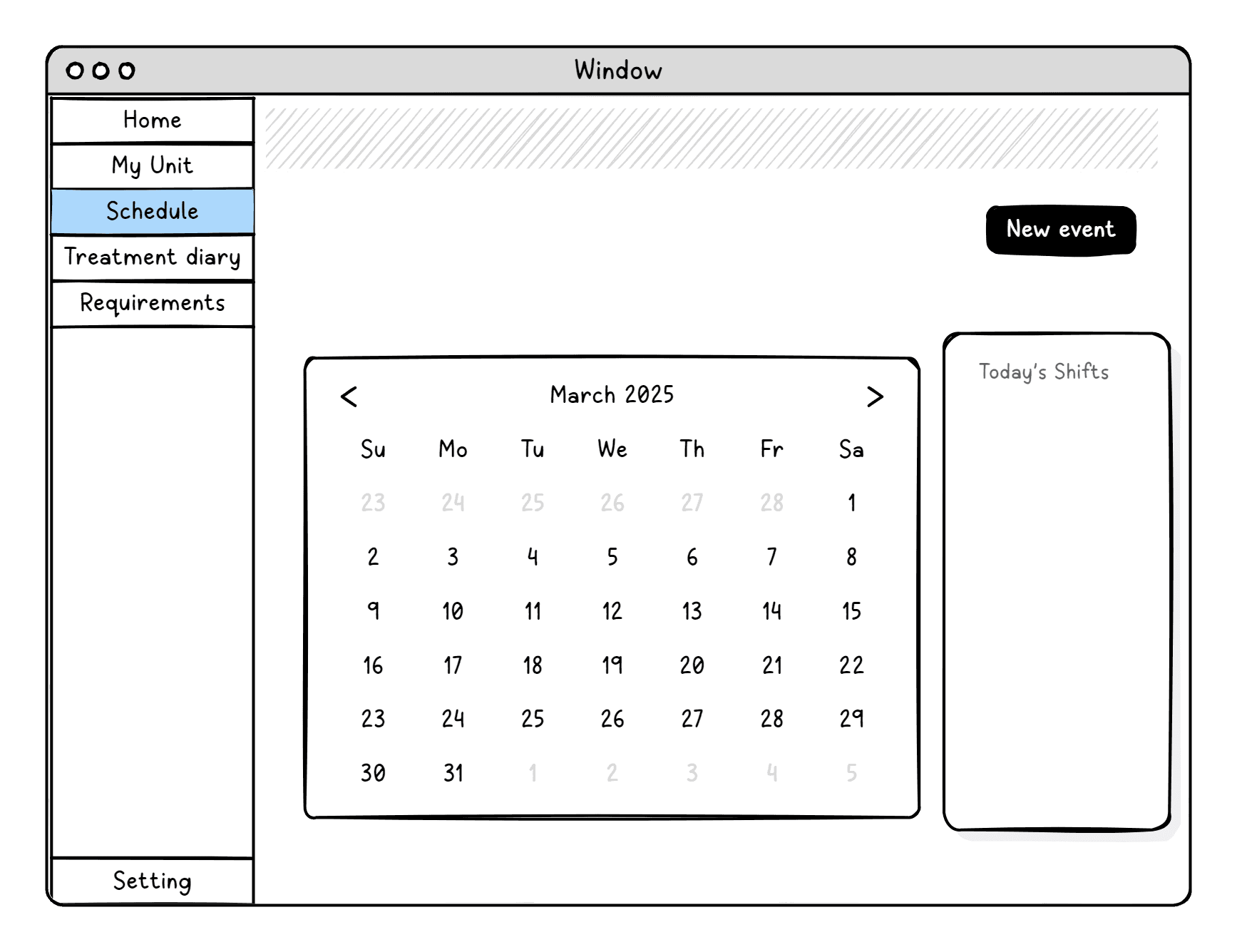
Shift & Events Calendar
A personal calendar for each user, enabling structured schedule management while maintaining privacy. The calendar also
provides visibility into upcoming shifts
and planned activities.
Seamless Student to Instructor Feedback Flow
ClinicFlow supports a two-step form workflow designed to structure clinical shifts and ensure effective supervision. Before each shift, students submit a pre treatment form with patient and care provider details. Following treatment, students complete a self evaluation form that is automatically sent to the instructor for review and grading.
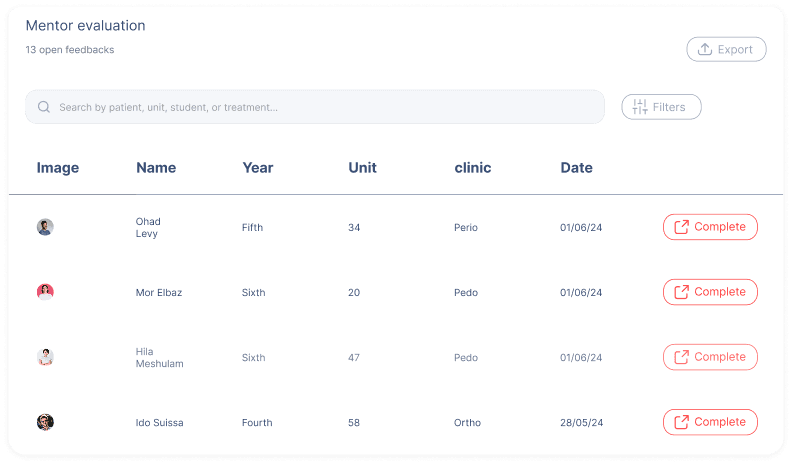
Once the student completes the form, the submission appears on the instructor’s dashboard, enabling quick and efficient feedback response.
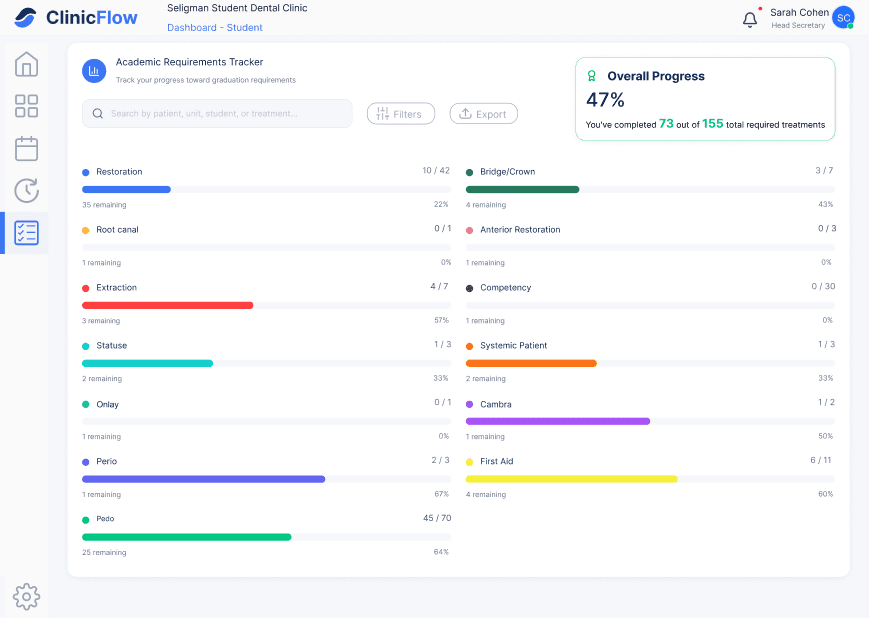
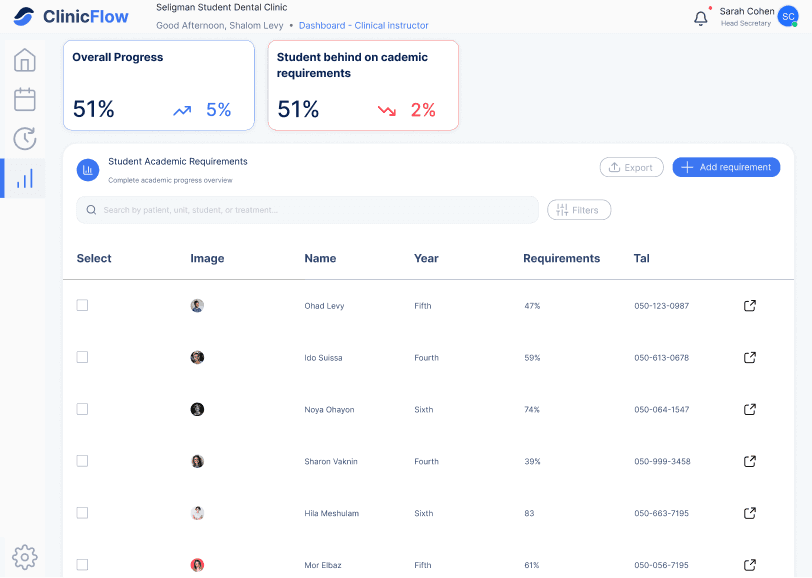
Academic Requirements Tracking
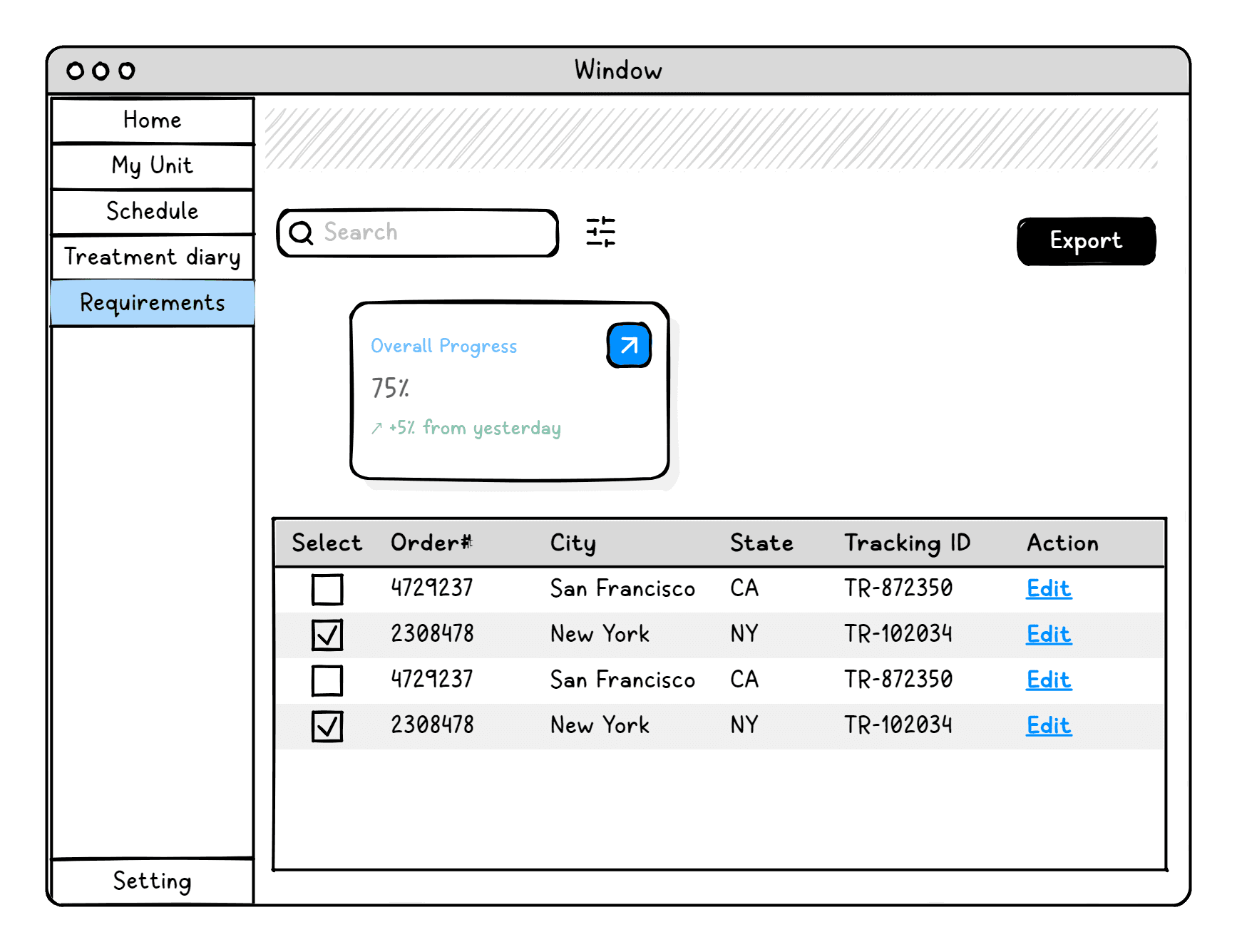
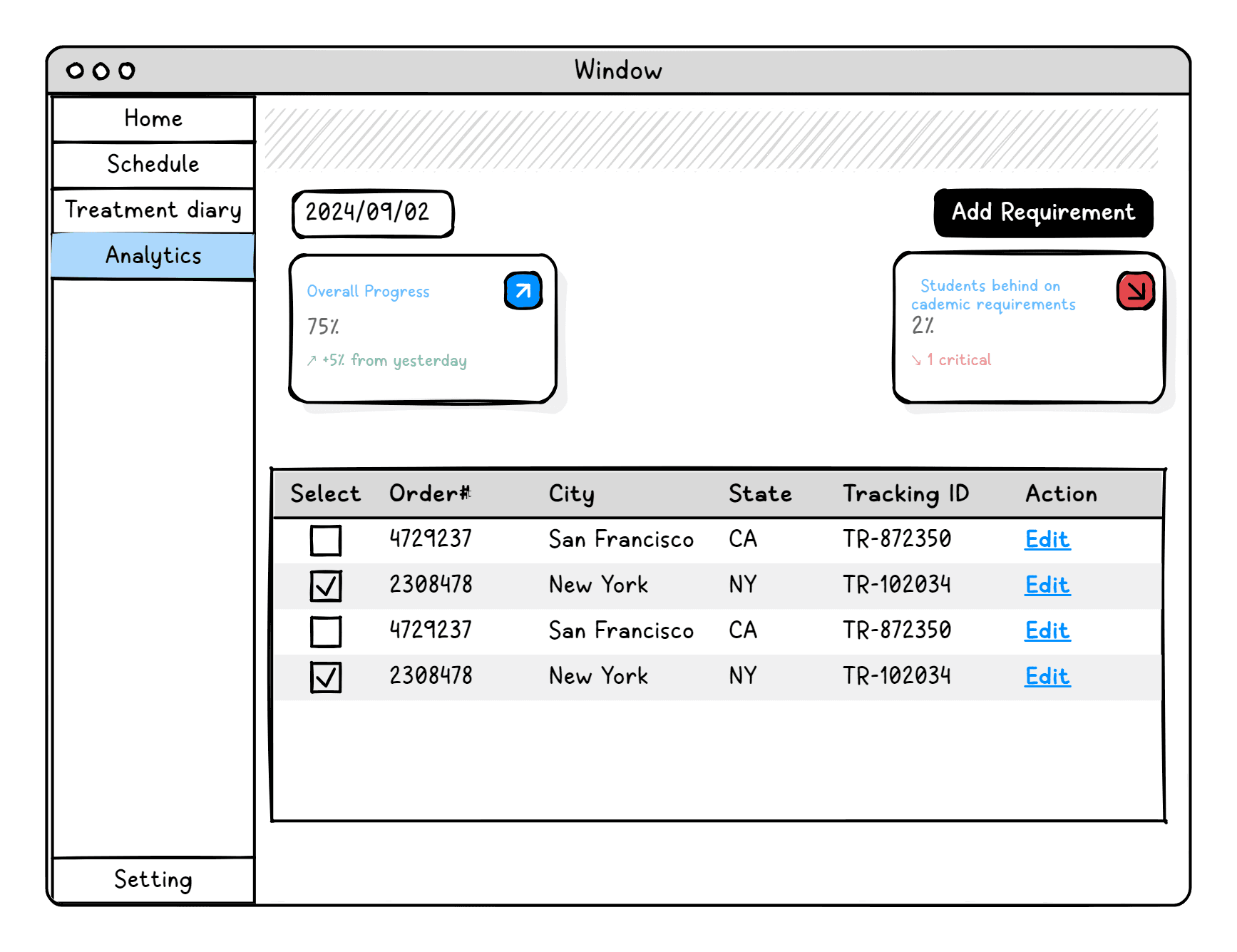
The system enables students to continuously track their academic requirements, providing clear visibility into completion status and progress, while allowing instructors to monitor student compliance and progress in real time.
Typography
Aa
Thin
Regular
SemiBold
Bold
Inter
abcdefghijklmnopqrstuvwxyz
Email:hilacohen50@gmail.com
Phone: +972 50 7195663